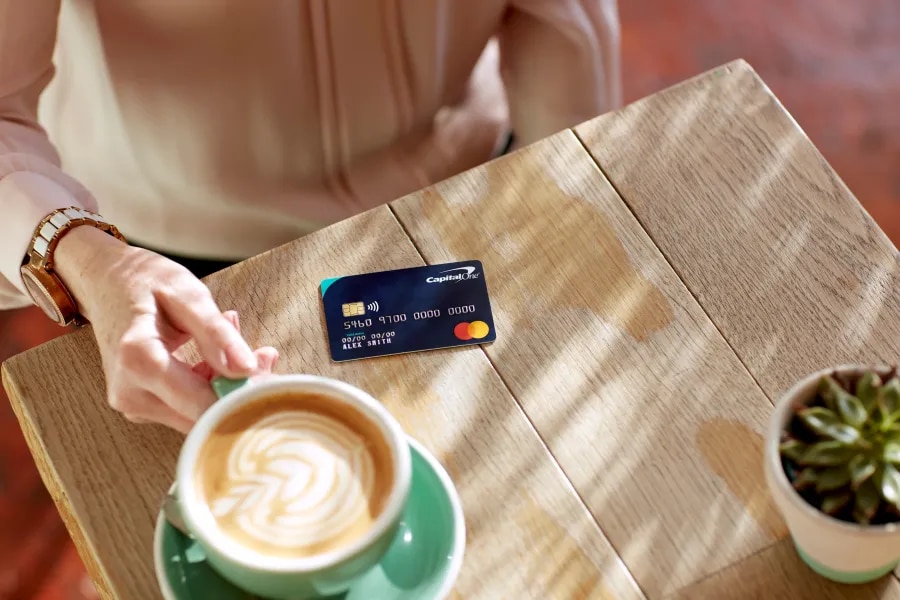
What do the numbers on my credit card mean?
12 min read
There are lots of numbers on your credit card. Have you ever wondered what they mean? Whether you use the card to manage day-to-day spending, cover unexpected expenses, or build your credit history, those digits printed on the front and back are key to every transaction you make.
You might notice details such as the CVV security code, expiry dates, and sometimes an issue number, which all play different roles in keeping your card secure and helping payments process smoothly.
Once you understand what each number does, you get a clearer sense of how your card works and how you can keep your details safe when you shop. In this guide, we'll cover how many digits there are on a credit card and talk through the numbers in detail.
How many numbers are on a credit card?
A typical UK credit card includes a 16-digit primary account number, a three-digit CVV security code and additional information such as the expiry date. Some cards also include an issue number, although this is now rare.
What is the long card number on the front of my credit card?
The long number on the front of your card is the Primary Account Number (PAN); it's the main identifier for your card. This links your purchases to your credit card account and helps the payment network confirm that your card is valid.
How many digits on a credit card number make up the PAN?
Most UK credit cards feature 16 digits. A few specialist cards use 13, 15 or 19 digits, but the standard length you see on Visa and Mastercard products is 16. Capital One UK credit cards follow the standard 16-digit format.
How is a credit card number generated in the UK?
Card networks follow international standards when generating numbers. The PAN is broken down into the following sections:
- First digit: This identifies the card network. A 4 identifies Visa, while a 5 indicates Mastercard and a 3 identifies the card as American Express.
- First 6-8 digits: These digits form the bank identification number (BIN) or issuer identification number (IIN). They identify the payment network and the financial institution (like Capital One) that issued your card.
- Middle digits: These narrow down the issuer and your individual account.
- Last digit: The final digit comes from a mathematical check called the Luhn algorithm. This algorithm helps spot simple typing errors and verifies that the card number is genuine during transactions. This is called the Luhn check digit and it doesn't give any personal information; it simply shows that the number is valid within card-processing systems. If even one digit is mistyped, the calculation will fail, and the transaction won't go through.
| Part of the number | What it means |
|---|---|
First digit | Shows the card network (e.g. 4 = Visa, 5 = Mastercard, 3 = American Express) |
First 6-8 digits (BIN/IIN) | Shows the card issuer, such as Capital One |
Middle digits | Identifies your account within the issuer's system |
Last digit | A Luhn check digit used to confirm the number is valid |
PAN or account number?
Your credit card number isn't the same as your account number. You might replace or renew your card over time, but your account stays the same.
Unlike a debit card (opens in a new tab), a credit card doesn't display a separate account number. You can find the account number for your credit card on your statement or by logging into your online account or mobile app.
Also, two people can't have the same credit card number. Card numbers are designed to be unique. Even two cards on the same account (for example, for a joint user) won't share a number – an additional cardholder receives their own, unique PAN.
Even if you replace your card due to loss, damage or expiry, your underlying credit card account remains the same. For security reasons, replacement cards typically come with a new PAN and CVV.
What is the CVV number on a credit card?
Your card verification value (CVV) or card verification code (CVC) is a short security number designed to prove that you have the physical card when shopping online.
It's sometimes also referred to as a CVV2, which is the version used for online and card-not-present transactions. These are generated using encrypted algorithms and are unique to your individual card.
Where is the CVV number on a UK credit card?
On most UK Visa and Mastercard products, the CVV/CVC is a three-digit number located on the back, next to or inside the signature strip. American Express uses a four-digit version printed on the front.
On most UK cards, the CVV is printed but not embossed, which prevents it from being transferred through old-style imprint machines and helps reduce fraud.
Why do I need to enter my CVV when shopping online?
The CVV adds an extra layer of protection. When you type it in, the retailer requests a security check from your card issuer. This reduces the risk of fraud because your CVV should only appear on the card itself, not in stored databases.
There are some important considerations to make when shopping online (opens in a new tab) with your credit card:
- You can share your CVV with a trusted merchant when you make a payment by phone. If anything feels rushed or suspicious, end the call and contact the business through a number you trust.
- Most reputable retailers require your CVV. If a website asks for card details but not the CVV, you should pause and check whether the company looks legitimate.
- If you can't read the CVV on your card any more, contact your credit card provider for a replacement. A damaged or faded CVV makes online purchases harder and increases the risk of mistakes.
What do retailers do with my CVV number?
Retailers aren't allowed to store your CVV after the transaction is complete. This is part of the global Payment Card Industry Data Security Standards (opens in a new tab) (PCI DSS) and helps protect cardholders from data breaches and fraud (opens in a new tab).
Protecting your card number
Knowing the meaning of the numbers is the first step. Now you need to know how to keep them safe. To help, here are some steps to follow:
- Protect your card: Keep your card in a secure place and shield your PIN at cashpoints. Avoid entering card details on websites you're not familiar with. If your card provider has a digital wallet feature (like Apple Pay or Google Pay), this can hide your real card number during online transactions.
- Monitor your account: Check your app or statements regularly for unexpected transactions and report anything you don't recognise.
- Have a plan: It's important to know what to do if your card number is stolen. The key is to act quickly. Contact your provider immediately so they can block the card and send a replacement. Most issuers offer strong protection (opens in a new tab) against unauthorised transactions when you report the issue promptly. You can usually freeze your card in your app or online while you wait to speak with your provider or request a new one.
- Consider online security: Browsers can encrypt stored details, but the safety depends on how secure your device is. If you share your computer or don't use a screen lock, it's safer to enter your details manually. Look for 'https' in the address bar, which indicates the site is secure, and avoid entering details on unfamiliar sites.
What other card numbers are on a credit card?
Expiry date
The expiry date on your card shows the month and year it's valid until. It ensures your card stays up to the current security standards, as technology and fraud-prevention measures change over time.
The expiry date doesn't affect your credit agreement, only the physical card. You can't change the expiry date manually, as it's set by the issuer.
Card issuers usually send a new card shortly before your current one runs out. You don't need to request it unless your address has changed. Once a card expires, the payment system rejects it. You'll still have access to your account, but you need the replacement card to buy anything with it.
Personal Identification Number (PIN)
Your provider sends you a PIN when you receive your card. This four-digit code is the number you enter at a card machine or cashpoint to confirm your identity for transactions over the contactless limit. Each card has its own unique PIN, even if they're from the same provider. You can change it at most UK cashpoints if the machine supports your network.
You can use contactless payments (opens in a new tab) without entering your PIN, although you may occasionally be asked to enter your PIN as a security check.
Issue number
If you've ever wondered what an issue number on a credit card is, it might be because you don't see them very often any more. However, they may still appear on older cards, so it's worth being aware of what they were for.
These were used to tell banks how many times the card had been replaced. Modern cards no longer need them because the long card number and expiry date provide sufficient information for retailers and banks. This means that most websites no longer ask for issue numbers, so you can complete your purchase without them.
Credit card number FAQs
Is it safe to give my CVV over the phone?
It can be safe, as long as you're dealing with a business you trust. Some retailers, hotels and service providers may ask for your card details, including the CVV, to complete a payment by phone. Before sharing it, make sure you initiated the call or are using a phone number taken from the retailer's official website, receipt or contact page.
If anything feels rushed or suspicious, or if the caller cannot confirm who they are, don't give out any card details. Hang up and call the company back using a verified number.
Can someone guess my CVV?
While CVVs are only three or four digits long, guessing them correctly is extremely unlikely when combined with the other information required for a transaction. Retailers also block multiple failed attempts.
Your CVV is not stored by retailers, which reduces the risk of large-scale data breaches exposing it. Keeping your card safe and shielding the back of it from prying eyes helps protect the number further.
Can I use my card online without a CVV?
Most reputable online retailers require a CVV for online transactions. This is an important security step that shows you have the physical card. Some subscription services or digital wallets may not ask for your CVV every time if you've already set up a secure payment profile, but they will require it at least once when you add the card.
If a website asks for your long card number but not the CVV, it may be a sign to check whether the business is legitimate before continuing.
What should I do if I can't read my CVV any more?
If your CVV becomes scratched, faded or unreadable, contact your card provider and ask for a replacement card. A new card will come with a freshly printed CVV, and your old card should be destroyed once the replacement arrives.
You won't be able to complete most online transactions without a readable CVV, so replacing the card promptly is important.
If you've forgotten your CVV, you usually can view your card details in your card provider's mobile app.
Can I change my credit card expiry date?
No, the expiry date is set by your card issuer and can't be changed manually. Expiry dates ensure that the physical card is replaced regularly, helping maintain up-to-date security features.
Your issuer will automatically send you a new card shortly before your current one expires. Your credit card account stays open and active throughout this process; only the physical card changes. It's worth checking any regular outgoing payments you have set up on this card (like subscriptions) and updating them when your card changes.
If the expiry date is fast approaching and you haven't received your new card, it's a good idea to contact your provider so you're not left unable to make payments.
How do I get or change my credit card PIN?
When you receive a new credit card, your provider will send your PIN separately for security reasons. If you want to change it, you can usually do so at most UK cashpoints by following the on-screen instructions, provided the machine supports your card network.
What should I do if I forget my PIN?
If you've forgotten your PIN, many providers allow you to request a reminder or a new PIN through your online account (opens in a new tab) or mobile app. A replacement PIN is normally sent by post for security. Many providers will also let you view your PIN in their mobile app (opens in a new tab), so you'll always have access to it.
Avoid guessing repeatedly at card machines, as several incorrect attempts will lock the PIN and temporarily block your card. If this happens, you may be able to unlock it at a cashpoint once you receive your new PIN.
Can I find my account number on my credit card?
No, your credit card doesn't display your account number. The long number on the front of your card is the Primary Account Number (PAN), which identifies the card itself, not your overall credit card account.
Even if you receive a replacement card with a new long number or CVV, your underlying account stays the same.
If you need your account number, you can usually find it:
- on your credit card statement
- in your online account
- in your mobile banking app.
This helps keep your account information more secure, as the card only shows what's needed for transactions.
Why do some UK cards have an issue number and others don't?
Issue numbers were more common on older UK card systems. They helped banks keep track of how many versions of a card had been issued.
Modern cards no longer need issue numbers because the combination of the long card number and expiry date provides enough information for payments to process correctly. As a result, most newer cards don't display issue numbers, and most websites no longer ask for them.